Painting contractor software built for small painting crews.
Estimate from the porch, send a proposal they sign on their phone, and get paid faster, then add crew scheduling and photo docs as you grow. 2 users included, no demo required, no enterprise feature dump. $39/mo Starter or $99/mo Pro.
The plain-English version
What is painting contractor software?
Painting contractor software is the tool a painter uses to run the office side of a painting business. Estimating a job, sending the proposal, scheduling the crew, documenting the work with photos, invoicing, and taking payment. One place, instead of seven.
It's different from generic field-service software like Jobber or Housecall Pro, which are built for plumbers and electricians and don't know what a production rate or a sheen is. And it's different from invoice-only apps like Joist or Wave, which can send a bill but won't help you actually run the job.
Good painting contractor software does three jobs. It makes you look more professional than your competition. It speeds up the time from walkthrough to signed proposal. And it stops you from re-typing the same client info into four different tools.
How it works
From walkthrough to deposit
in 4 steps.
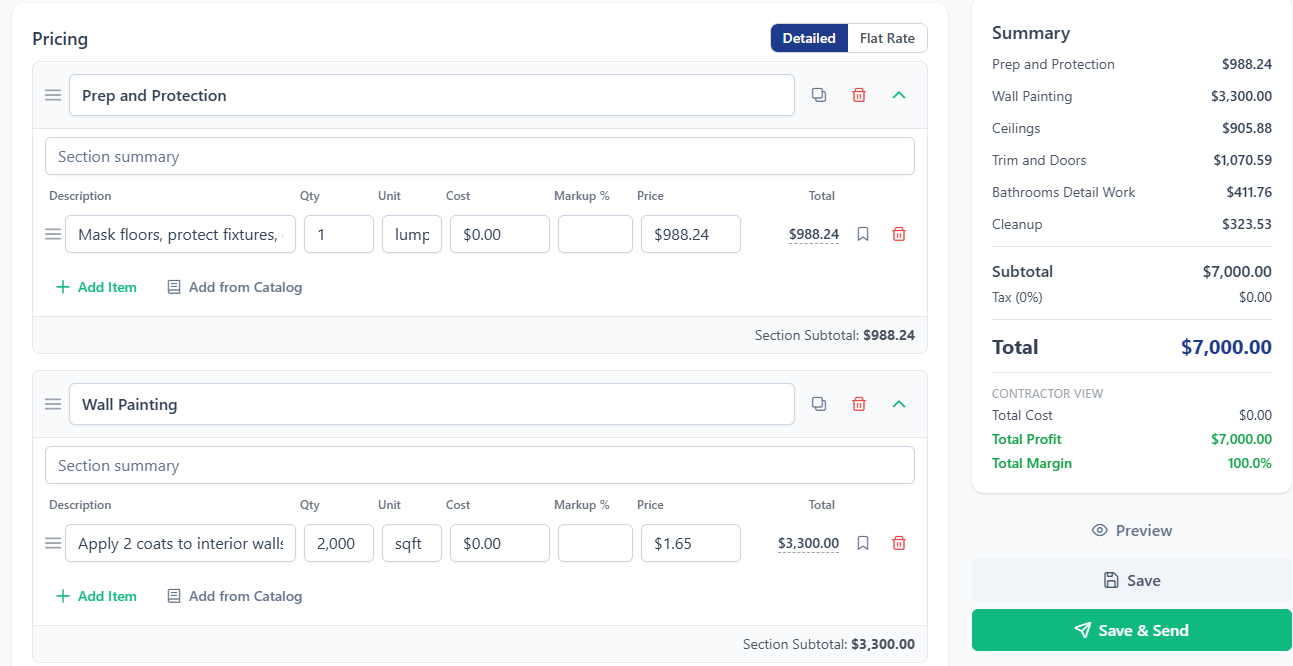
Estimate from the kitchen table
Measure rooms or exterior surfaces, drop them into a line-item estimate with your production rates and paint costs already loaded. Group by room, by floor, or by interior/exterior. Take a few photos while you're there.
Client approves from their phone
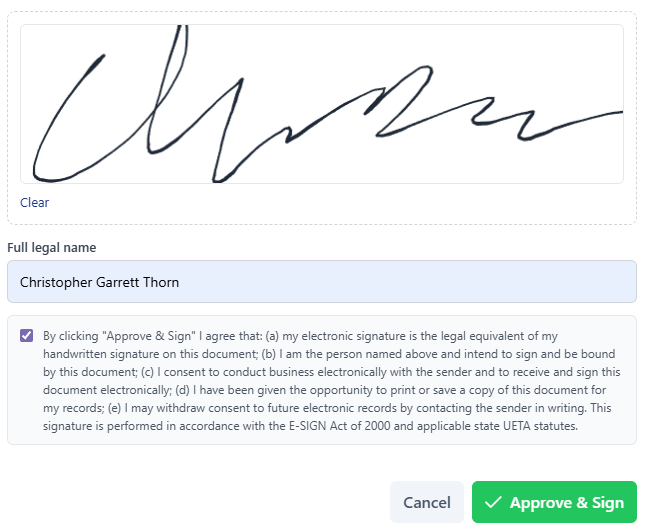
Send a link. The homeowner opens it on their phone, no password or app to download. They see a clean, branded estimate with photos. One tap to approve, with questions handled through the built-in estimate chat instead of phone tag.
Schedule the crew, document every coat
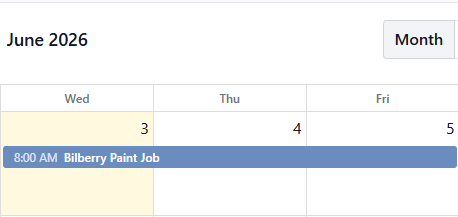
Once approved, schedule the crew with a tap. The painters see the job on their phone with the address, scope, and any color specs you noted. They upload photos of prep, primer, and finish coats as they go, which the client can see in real time.
Invoice, take payment, sync to QuickBooks
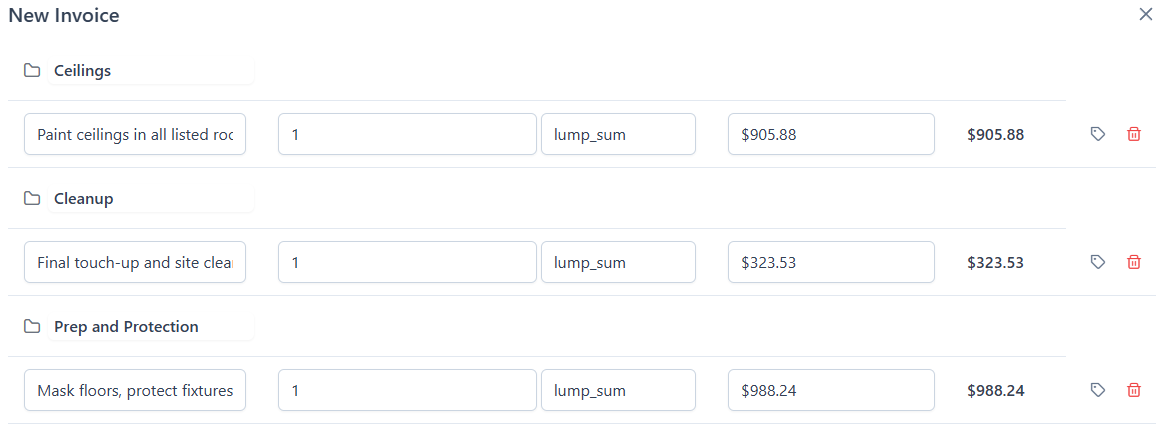
Bill the deposit when signed, the progress payment when the prep is done, and the final when the punch list closes. Take card or ACH right in the portal. Everything flows into QuickBooks Online both ways, so the office isn't re-typing anything.
Features
The six features painters actually use every week.
Skip the enterprise feature dump. These are the ones that move the needle for a 1 to 10 person crew.
Painting estimates with your rates
Build a line-item estimate by room or surface. Your production rates and paint costs are saved, so a 1,800 sq ft interior repaint takes 90 seconds, not 90 minutes.
Passwordless client portal
Homeowners see the estimate, photos, invoices, and progress without making an account. No login means no friction means more approvals.
Before/primer/finish photo timeline
Painting is photo-heavy work. Upload prep, primer, each coat, and final photos from the field. Clients see them as they happen, which kills 80% of "you didn't tell me" disputes.
Crew scheduling with notifications
Assign painters to jobs, drag-and-drop reschedules, and they get a notification with the address (one tap to navigate). Multi-day jobs, recurring touch-ups, all in one calendar.
E-signature and change orders
Clients sign the proposal with a finger. When they ask for "just one more room" mid-job, send a change order in 30 seconds, e-signed, with the budget updated automatically. ESIGN/UETA compliant.
Two-way QuickBooks sync
Customers and invoices sync both directions with QuickBooks Online. Your bookkeeper doesn't re-type a thing. If you don't use QuickBooks, the built-in payments and reports still work fine on their own.
Honest comparison
The top 6 painting contractor software
options, side by side.
Five of the six on Google's first page won't show their pricing without a sales call. Here's everything I could pull together from public pricing, demos, and user reports.
| Tool | Best for | Starting price | Free trial | Demo required? |
|---|---|---|---|---|
| BuilderBase | Residential painters, 1 to 10 crew | $39/mo | 7 days | No |
| Billdu | Solo painters who just need invoicing | ~$4 to $18/mo | 7 days | No |
| Knowify | Commercial painters who need AIA billing | $99/mo | 14 days | No |
| PaintScout | Sales-heavy painters doing big-ticket repaints | Not public (~$150 to $300/mo reported) | By demo | Yes |
| Service Fusion | Field-service style painting ops, 5+ trucks | Not public (~$199/mo reported) | By demo | Yes |
| ServiceTitan | Large painting operations ($5M+ revenue) | Not public (enterprise, $400+/mo per tech) | By demo | Yes |
My honest take, briefly:
- If you're solo and just need invoices: Billdu or Joist's free tier.
- If you do commercial work with AIA billing: Knowify is the answer.
- If you do high-end residential with big sales presentations: PaintScout is the sales tool of choice in the industry.
- If you're enterprise with 20-plus techs: ServiceTitan, and you already knew that.
- If you're a 1 to 10 person residential crew who wants real software without the demo dance: that's us.
Why none of them publish pricing:
Sales economics. The bigger the deal, the more it benefits the seller to qualify you on a call before quoting. Painters are price-sensitive and the demo is where they overcome that. BuilderBase chose the other direction (price on the page, 7-day trial, no demo gate) because we'd rather lose the lead than waste your evening on a sales call.
BuilderBase pricing
Honest pricing.
Right here on the page.
Or $32.50/mo billed annually. 7-day free trial, no card.
- Unlimited estimates, invoices & proposals
- Contracts & e-signatures (AI drafting included)
- Online payments, service catalog & branding
- 2 users included
Or $82.50/mo billed annually. 10 users included.
- Everything in Starter
- Projects, scheduling & client portal
- Photo galleries, before & after photos on invoices
- Reports, expenses, QuickBooks & custom roles
No 12-month contracts. No "contact us for pricing." Extra users are $15/mo. See full pricing →
Honest answer
Who BuilderBase is for
(and who it isn't).
- Residential interior and exterior painters
- 1 to 10 crew members, under $5M revenue
- You estimate at the kitchen table, not in the office
- You're tired of paper estimates and chasing checks
- You want one tool, not seven
- Commercial painters needing AIA G702/G703 billing (try Knowify)
- 20+ tech operations needing dispatch boards and fleet GPS (try ServiceTitan)
- Solo painters who only need to send invoices (try Billdu or Joist free)
- If you want a polished sales-presentation tool for high-ticket repaints (PaintScout)
- If you outgrow us, that's fine. We'll wave on the way out.

A note from the founder
I built this for painters who hate paperwork.
I'm Chris. I grew up on my dad's job sites. The painters I know are the best in their trade and the worst at the office side. Estimating on a paper pad, invoicing in Word, chasing checks, losing photos in a phone camera roll. They got into this to paint, not to do data entry.
BuilderBase is what I wished I'd had: the smallest possible jump from "I'll figure it out" to a real system. No 90-minute demo, no $400/month enterprise tier, and your second painter is already included. Got feedback? Email me. I read everything and your input genuinely shapes what gets built next.
"I used to send a paper estimate after the walkthrough, then chase the homeowner for a week to sign it. Last month I sent a $12K exterior repaint from my phone in the driveway, the wife approved it from her phone before I left, and I had the deposit before I got back to the shop."
FAQ
Frequently asked questions.
What is painting contractor software?
How does painting contractor software work?
How much does painting contractor software cost?
Is there free painting contractor software?
What's the best free painting estimate app?
Can I download free painting estimating software?
What's the best painting contractor software for commercial work?
Does painting contractor software work on mobile?
Does painting contractor software integrate with QuickBooks?
What features should painting contractor software have?
Is painting contractor software worth it for a one-person painting business?
Stop estimating on paper.
7-day free trial. No credit card. No demo required. Cancel any time.