Win the job from the driveway.
Build the estimate before you leave the walkthrough. Your client opens it on their phone, picks an option, signs, and pays the deposit in one go. You see your margin on every line. They only see the price.
Why this matters
The first clean estimate in their inbox usually wins.
No more "I'll get you a number this week"
Pull your usual items from the catalog, adjust quantities, and send it from your phone. The homeowner has it before the next contractor shows up.
No more printing, signing and scanning
Your client approves, signs and pays the deposit on the same screen. You get an email the moment they do.
No more guessing your margin
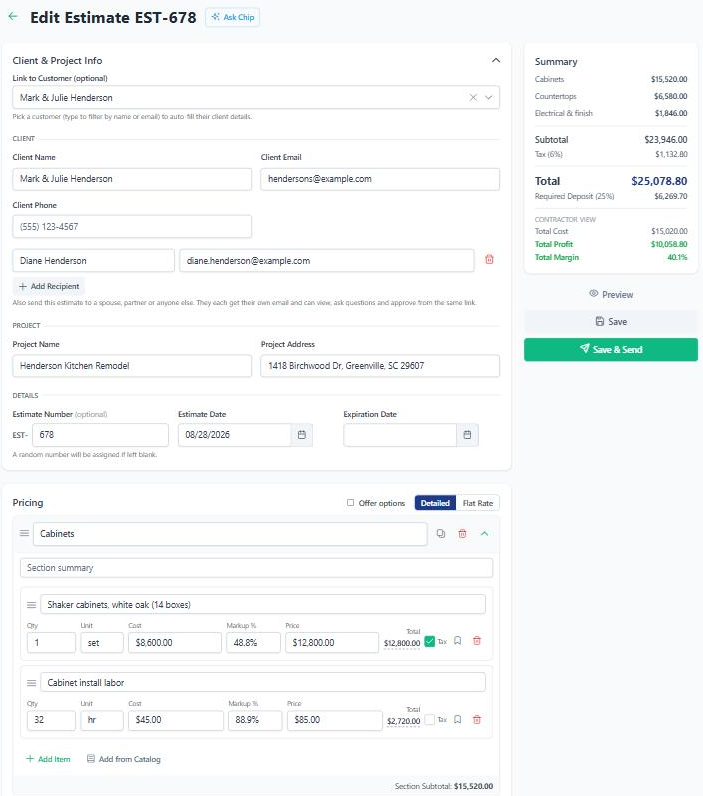
Cost, markup and margin sit on every line while you build. You know what the job makes before you hit send.
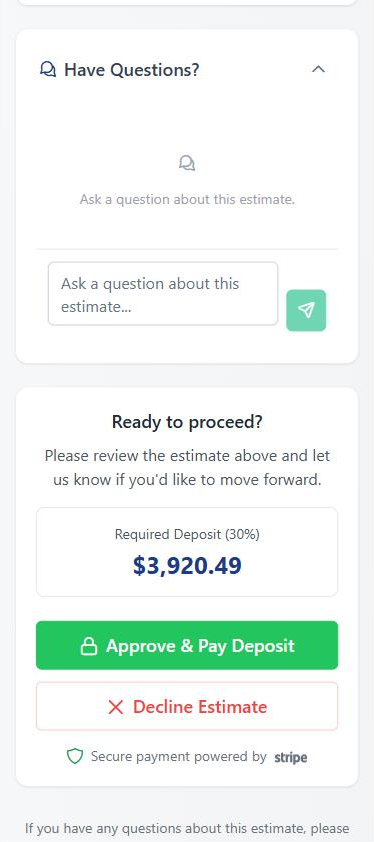
They say yes on their phone. Deposit included.
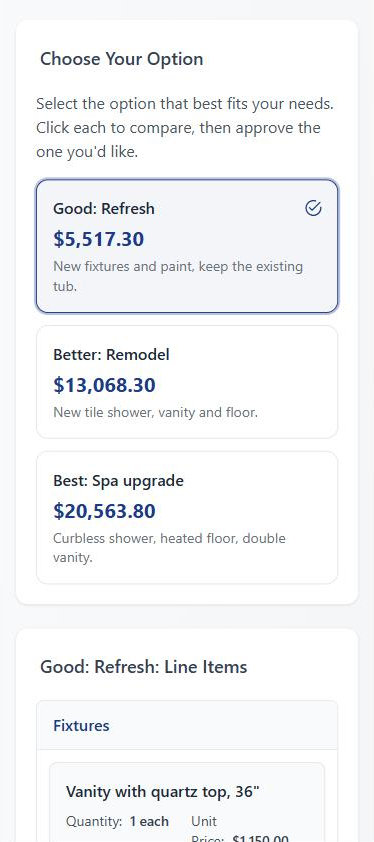
Your client gets a link, not an attachment. They read the estimate, ask questions, pick an option, sign, and tap Approve & Pay Deposit. No app to download and no account to create.
- E-signature on approval, with a signed record you both keep.
- Deposits as a percentage or a flat amount. Set a company default once and it fills in on every new estimate.
- Send to both spouses. Add extra recipients and everyone opens the same link.
- Q&A right on the estimate. Questions and answers sit next to the numbers, and the chat stays open after they approve. Email notifications go both ways.
Offer Good, Better, Best. Know what each one makes.
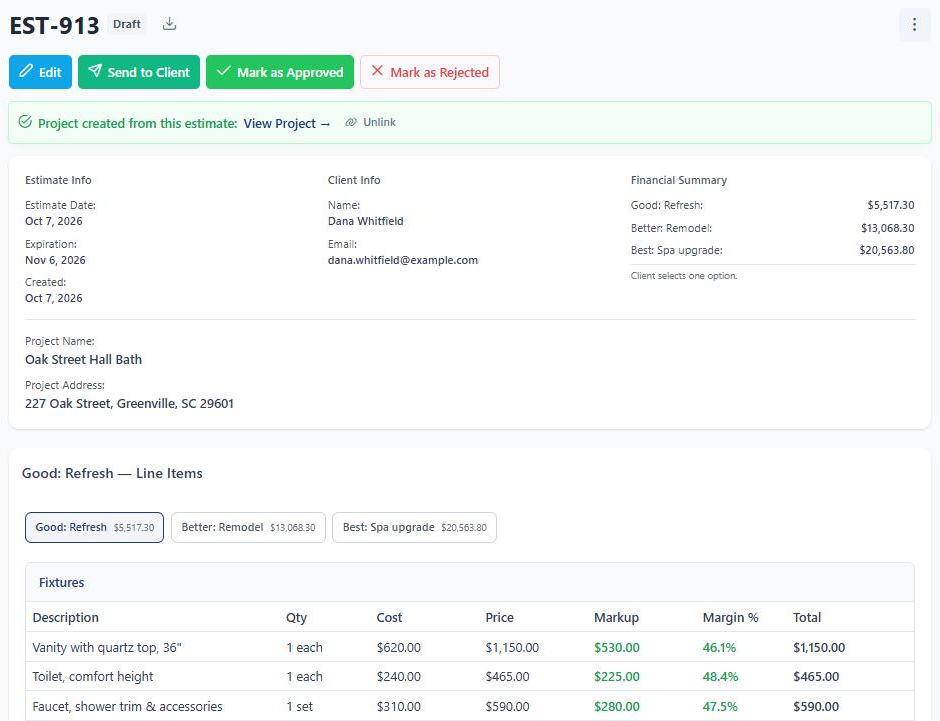
Give the client a few ways to say yes instead of one price to say no to. Each option has its own sections and its own total. They pick one, and that becomes the job.
- Sections and line items so clients see where the money goes.
- Cost, markup, price and margin on every line, plus total profit for the estimate.
- Your costs stay private. The client only ever sees prices.
Build it in minutes. Follow up without thinking about it.
The small stuff that eats your evenings is already handled.
Service catalog
Save the items you quote every week with their cost and price. Pull them into any estimate with Add from Catalog.
Chip drafts it for you
Tell Chip, the AI estimating assistant, the trade, location and scope, and add photos. Chip drafts a structured estimate that you review and edit.
Tax only what's taxable
Uncheck Tax on labor lines and only materials get taxed. Your company tax rate fills in on its own.
Photos on the estimate
Attach photos from the walkthrough so the client sees exactly what you're quoting.
Automatic follow-ups
Turn on reminders and a client who hasn't answered gets a friendly nudge on day 5 and day 10. Two at most, then it stops.
Mark as Approved
Got the yes over the phone or on paper? Mark the estimate approved yourself and keep moving.
Bill from the estimate. No retyping.
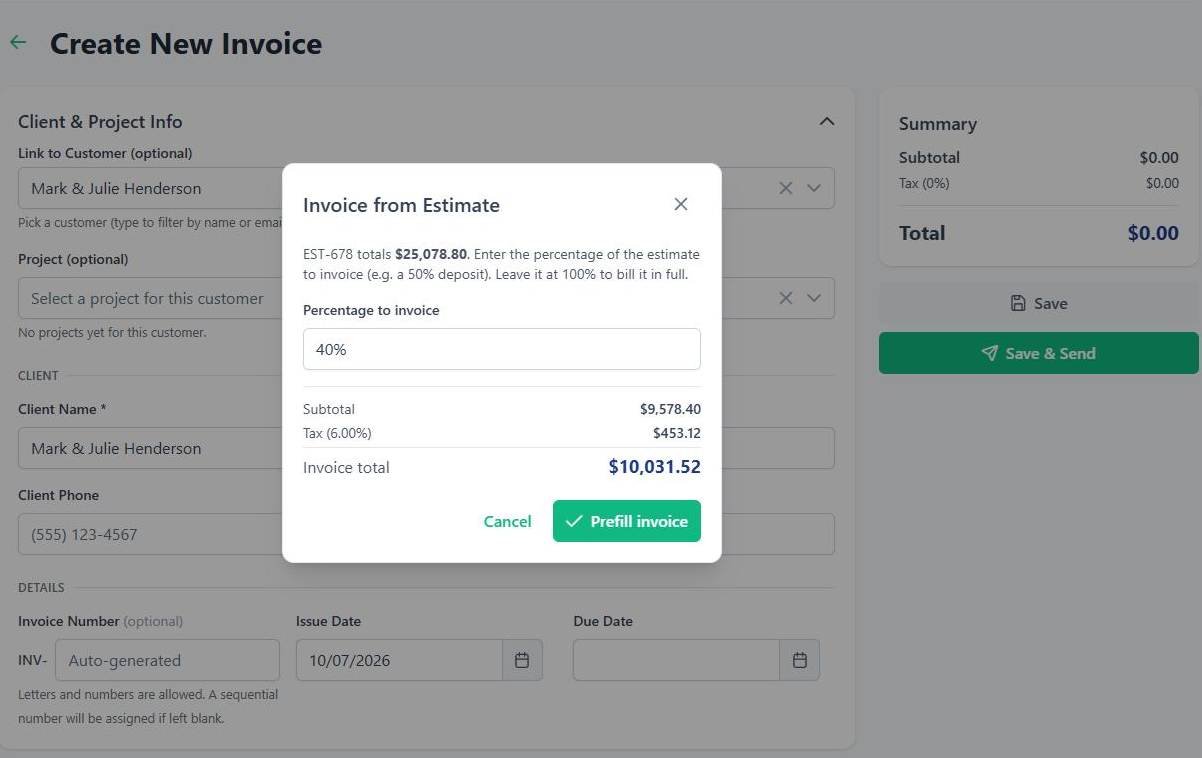
When it's time to get paid, start the invoice from the approved estimate. Bill the whole thing, or a percentage of it as the work gets done.
- Enter a percentage and the invoice fills in from the estimate's line items.
- Clients pay online by card or bank transfer.
Keep the job on budget after the yes.
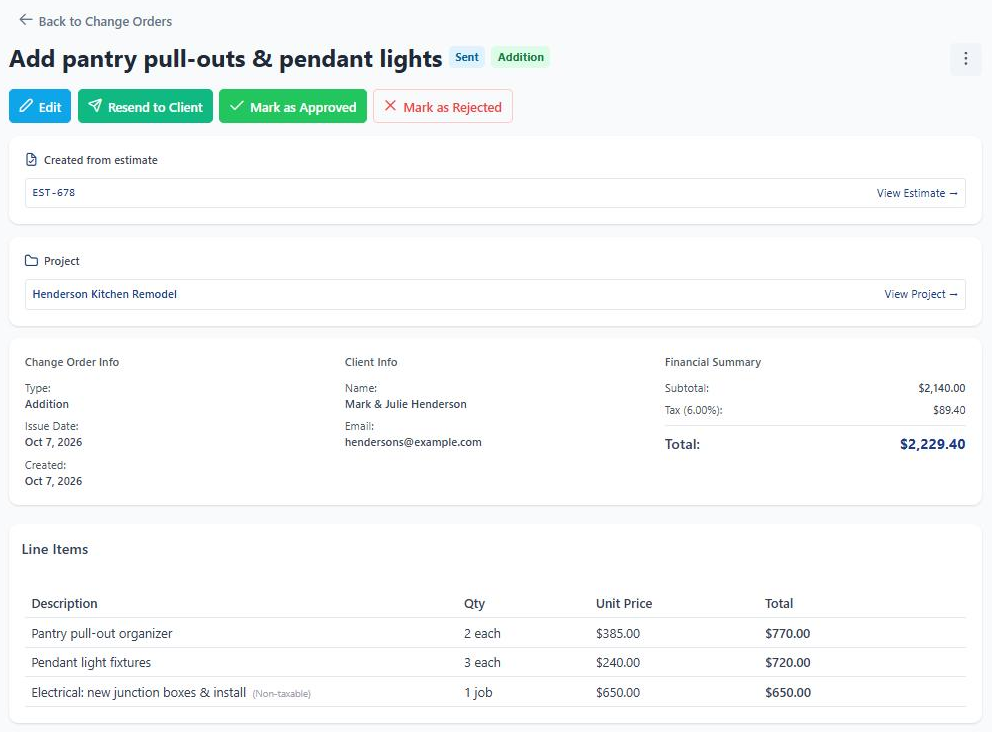
One click turns the approved estimate into a project with the budget already loaded. Log expenses as you go and see budget vs. actual for each category. When the client adds work, write a change order from the same estimate.
- Estimate to project in one click. Nothing to retype.
- Budget vs. actual by category, so you catch an overrun while there's still time to fix it.
- Change orders from the estimate. The client approves extra work the same way they approved the job.
Estimates, Good/Better/Best options, deposits, e-signature, the catalog and follow-up reminders are on every plan, starting with Starter at $39/mo. Projects, budgets and change orders come with Pro at $99/mo.
Compare plans"The AI contract drafter saved me an hour per project. I emailed Chris with a feature request on a Tuesday. He replied the same day and shipped it the following week. That doesn't happen with the big guys."
Built for your work
See how BuilderBase fits the way you sell and run jobs.
Send your next estimate without opening a spreadsheet.
Free 7-day trial. No credit card required. Cancel any time.