Give your crew the work.
Keep your numbers
to yourself.
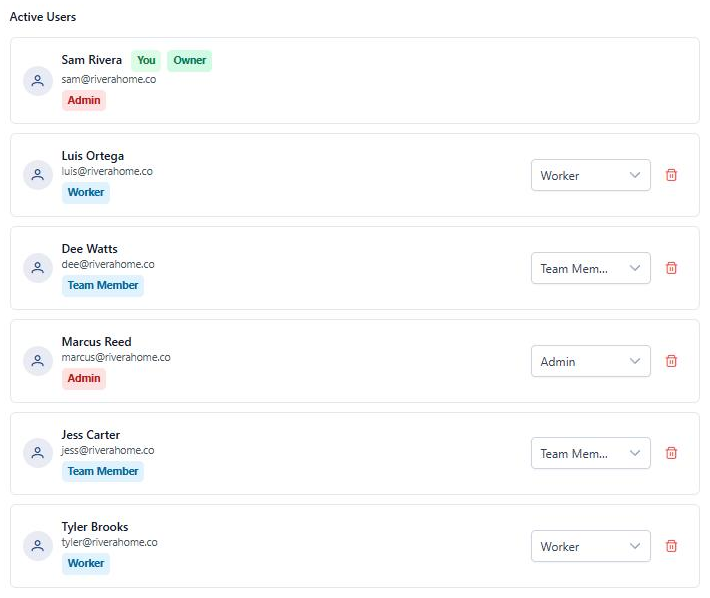
Add your techs and crew in a few clicks. Each person gets a role that shows them their jobs, their schedule, and nothing they don't need. Turn off pricing for anyone who shouldn't see it. And a notification bell keeps everyone in the loop, so you stop being the person who relays every update.
Why this matters
You, a few techs, and a phone full of texts. There's a better way.
No more "should my tech see this?"
Roles decide who can view, edit, and send what. Turn off pricing for a role and your margins stay private, while the crew still sees the job.
No more "did you hear they paid?"
A notification bell on every screen, plus push to your phone. Payments, approvals, and assignments reach the right person without you forwarding anything.
No more "wait, who said that?"
Notes live on the project or task they're about. Flag the important ones. Every note shows who wrote it and when.
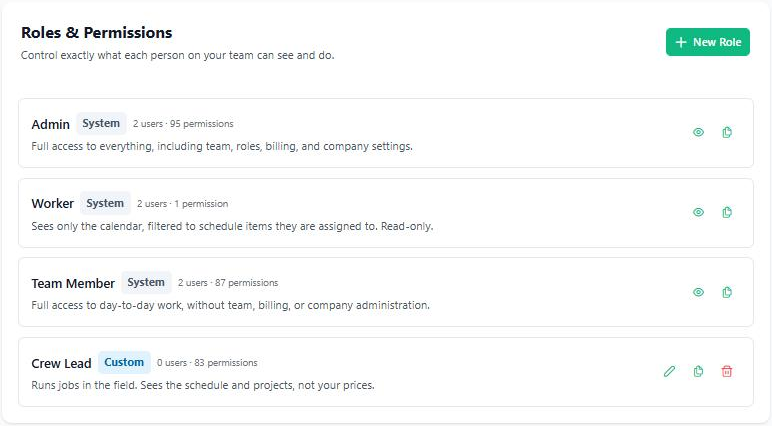
Three roles that work on day one.
Invite someone by email and pick a role. You don't have to set anything up first. The built-in roles are locked, so nobody can break them by accident.
- No dead-end buttons. If a role can't use something, it's hidden instead of throwing an error.
- Change a role anytime. It takes effect on that person's next page load. Nobody has to log out.
- Seats that fit a small crew. Starter includes 2 users and Pro includes 10. Need more? Extra users are $15/month each.
Show them the job. Not your margins.
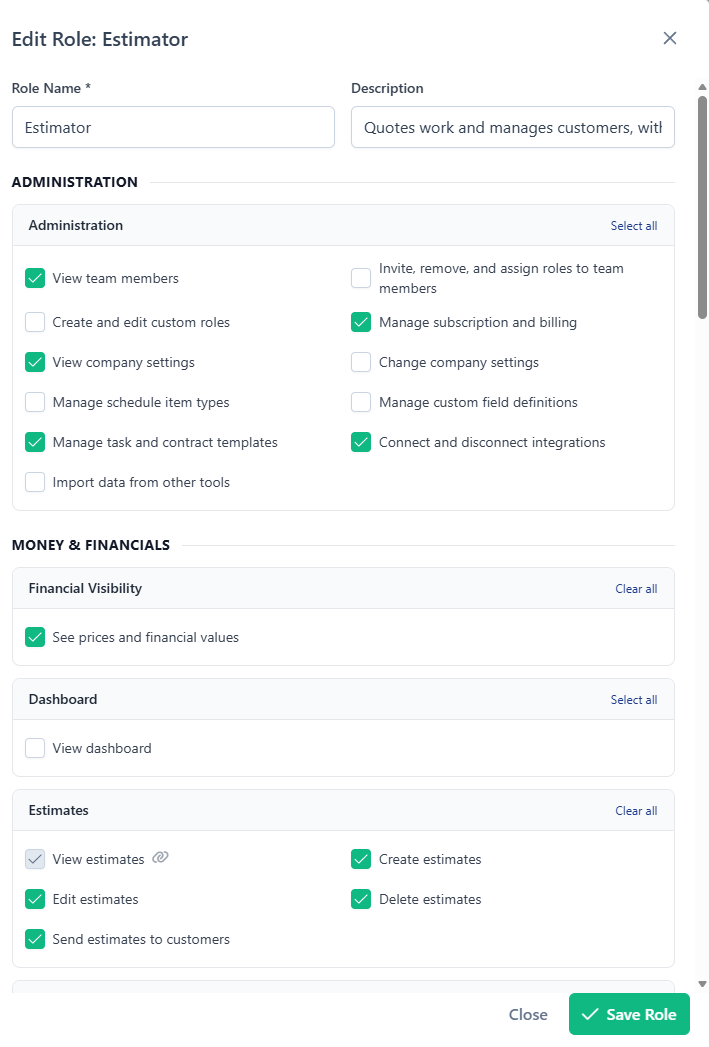
Build a role that fits how you actually run things. Name it, then tick what it can do. View, create, edit, delete, and send are separate switches for each part of the app: estimates, invoices, projects, the schedule, customers, vendors, files, expenses, reports, and more. Or clone a built-in role and adjust from there.
- One switch for your numbers. Turn off Financial Visibility and pricing disappears from that person's view: contract values, payment amounts, customer revenue, and catalog cost prices. Give a sub or a tech the work without your numbers.
- Catches the leaks for you. If a combination would still expose amounts (say, invoices on but Financial Visibility off), the role builder warns you and offers a one-click fix.
- "Only assigned" jobs. Scope the schedule and projects so a crew lead sees only the jobs and projects they're on.
New to roles? There's a guided tour in the app's setup checklist that walks you through it.
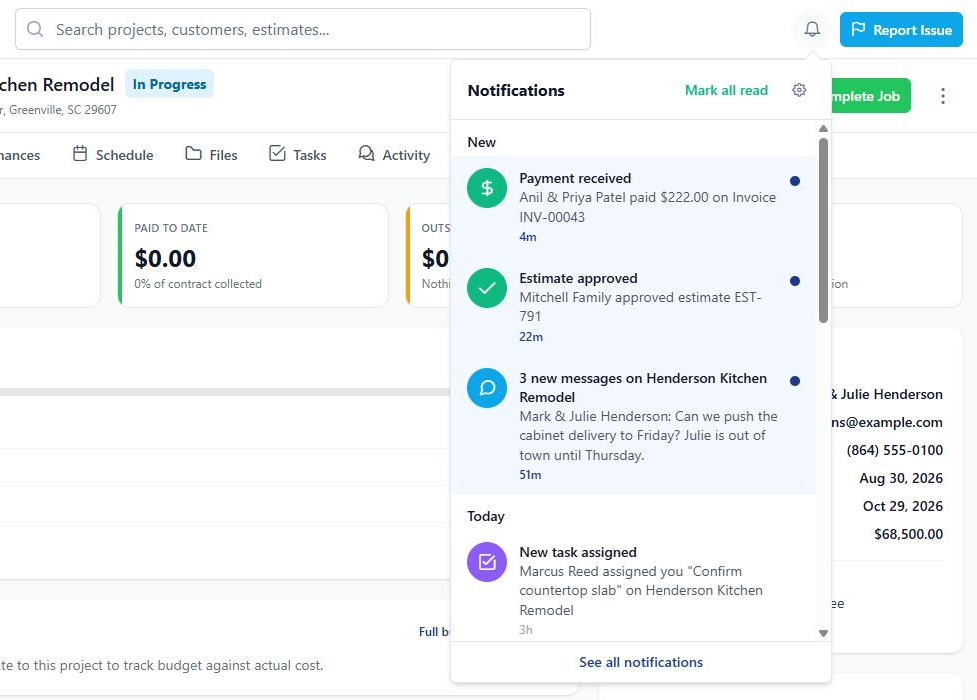
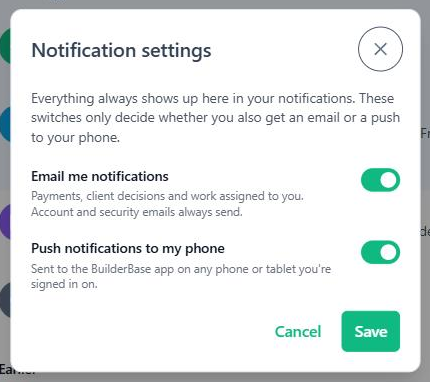
Everyone hears what matters to them.
A bell with an unread count sits on every screen (on phones, it's the Notifications tab in the bottom bar). Tap a row to open the record. The full list is grouped into New, Today, and Earlier, with Mark all read when you've caught up. Included on every plan.
- One simple rule for who hears what. Admins hear about the business: payments, approvals, signatures, bids, failed emails, new team members. Everyone else hears about what they created, what's assigned to them, and projects they're on.
- No noise about yourself, no leaks. You're never notified about your own actions, and people whose role can't see pricing never get payment notifications.
- The things that slip. Task assigned, due tomorrow, or overdue. Invoice overdue. Client payment failed. A client opened your estimate, invoice, contract, or change order (shown in the bell). A teammate's message on your project. A vendor's compliance document about to expire.
- Push to your phone, your way. Get push notifications in the BuilderBase app on iPhone and Android. Each person has two switches: email me, and push to my phone. Similar notifications group into one row ("viewed 3 times"), and the bell always keeps the full record.
Your subs and suppliers, in one directory.
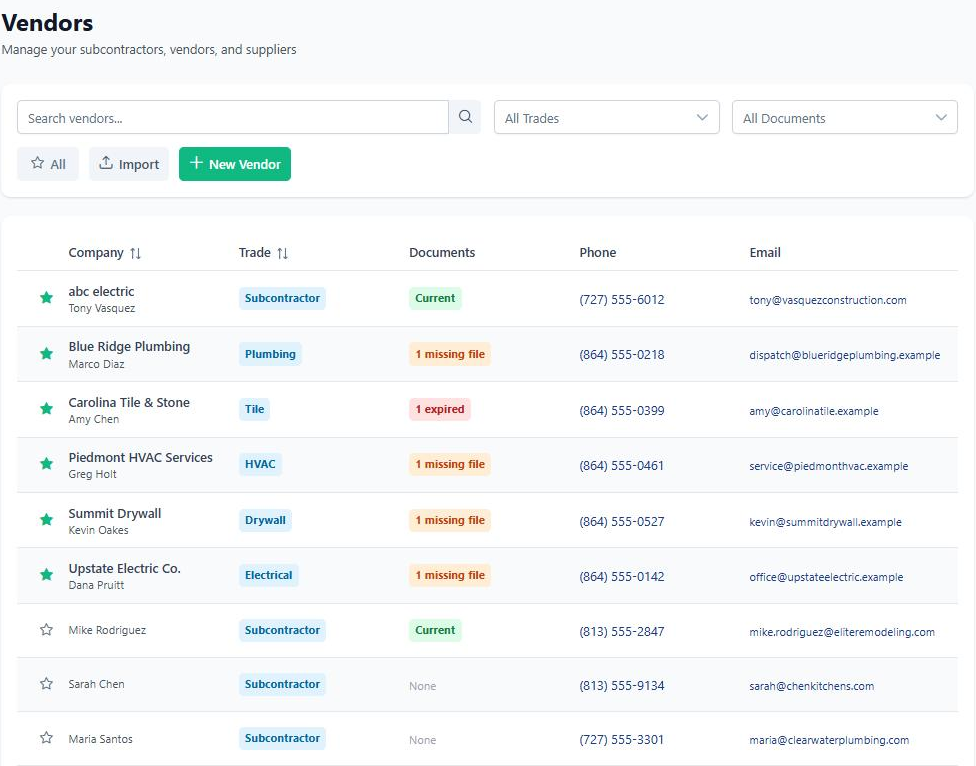
Every sub, supplier, and specialist you call in, in one searchable directory your whole team can use. Tag them by trade, star your favorites, and assign them to tasks. The next tech who needs an electrician doesn't have to text you for the number.
- Trades you define, like Plumbing, Electrical, or HVAC. Search to find the right sub in seconds.
- Compliance documents on file. Keep each vendor's certificate of insurance, workers' comp certificate, and W-9 with their record. Add an expiration date and you'll get a reminder before it lapses.
- Star your go-tos. The subs you trust float to the top of your vendor list.
Hand off the work. Keep the context with it.
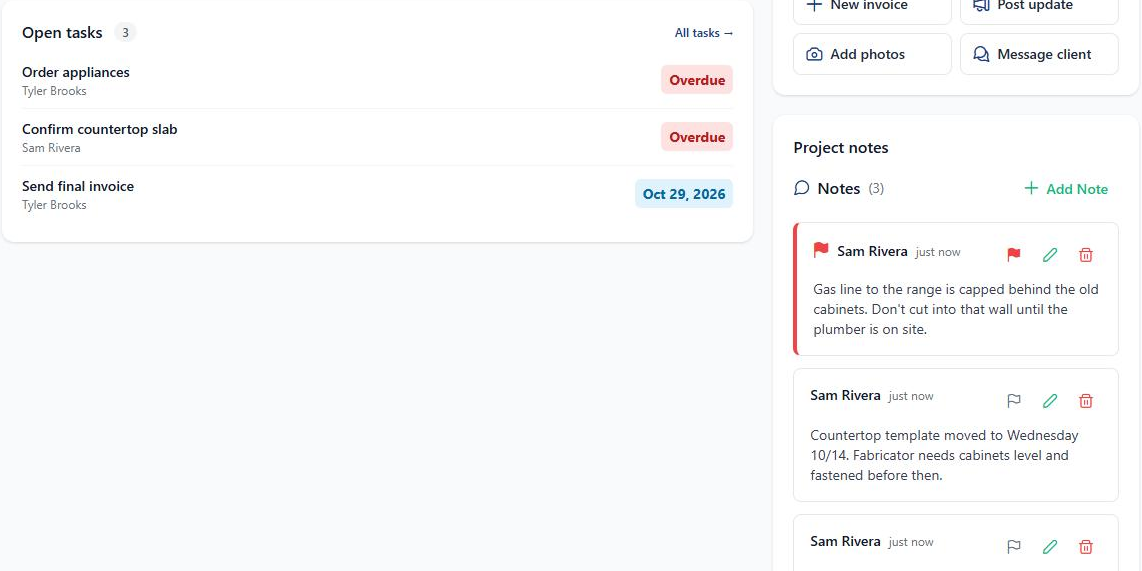
Assign tasks and schedule items to the person doing them, and they hear about it right away. Pick who's on each project. Then keep the details on the job itself instead of in a text thread.
- Assign tasks and visits. Put a teammate on a task or a schedule item. They get a notification, and a reminder when a task is due.
- Choose who's on a project. Add people to the project team, and they're notified when they're added.
- Notes on projects and tasks. Flag the important ones so they show first. Every note shows who wrote it and when.
"My PM, my office manager, and three subs all in one app. Nobody has to ask me anything anymore."
Get your team and your subs in one place.
Free 7-day trial. No credit card required. Cancel any time.