Bigger jobs and remodels, under control.
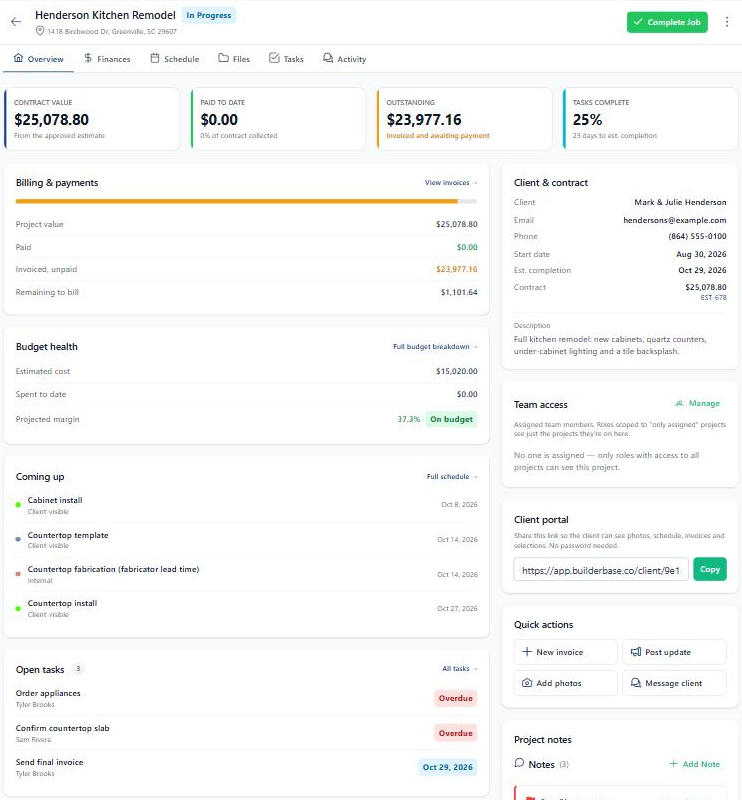
Some jobs take a day. Some take two months, a dozen steps, and three subs. Open the project and see it all on one screen: what the job is worth, what's been paid, how the budget is holding up, what's next, and who's on it.
Projects are on the Pro plan: $99/mo with 10 users.
Why this matters
The whiteboard, the group text, and the missed inspection? Done.
No more redoing the whole schedule
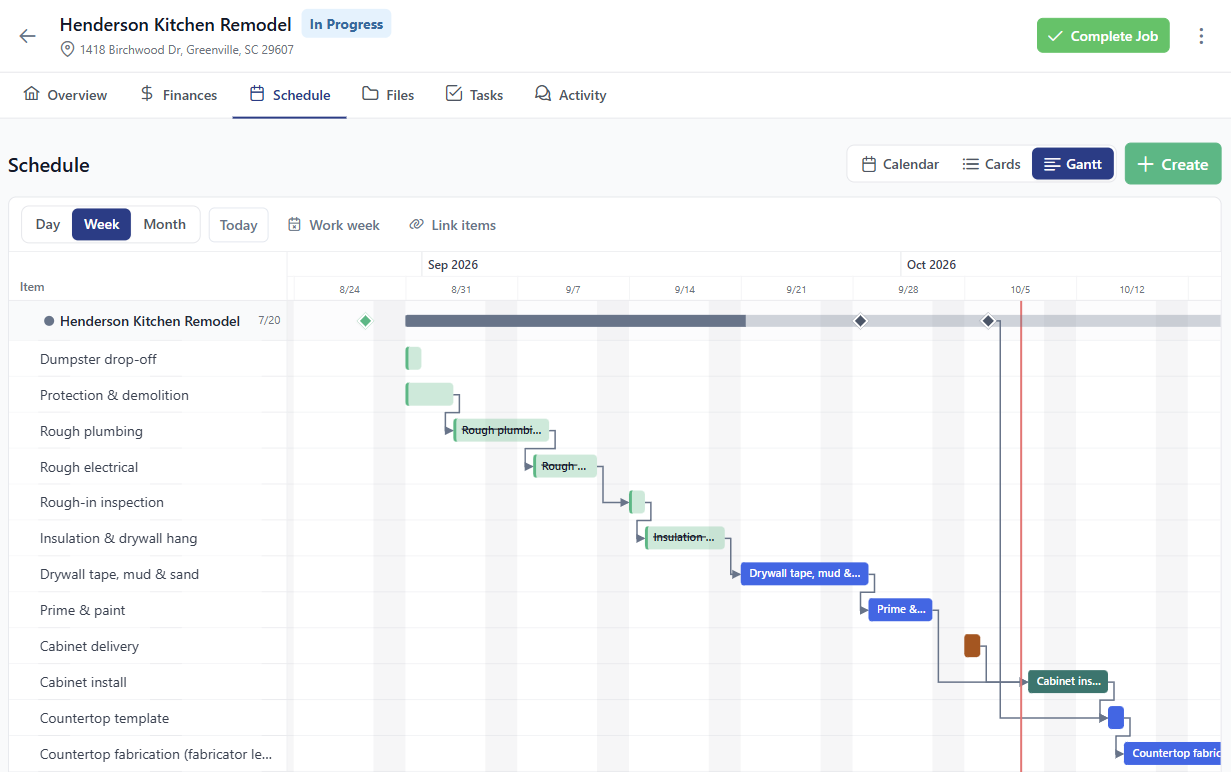
Drywall slips two days? Move it, and the steps linked after it shift with it. You see the changes before you save.
No more guessing if the job is making money
The contract value, what's been paid, what you've spent, and your projected margin sit right on the project. No spreadsheet on the side.
No more digging for the permit or the plans
Photos and documents live on the project, sorted into folders you make. Open the plan set right in the app, on site.
Who's doing what, and by when.
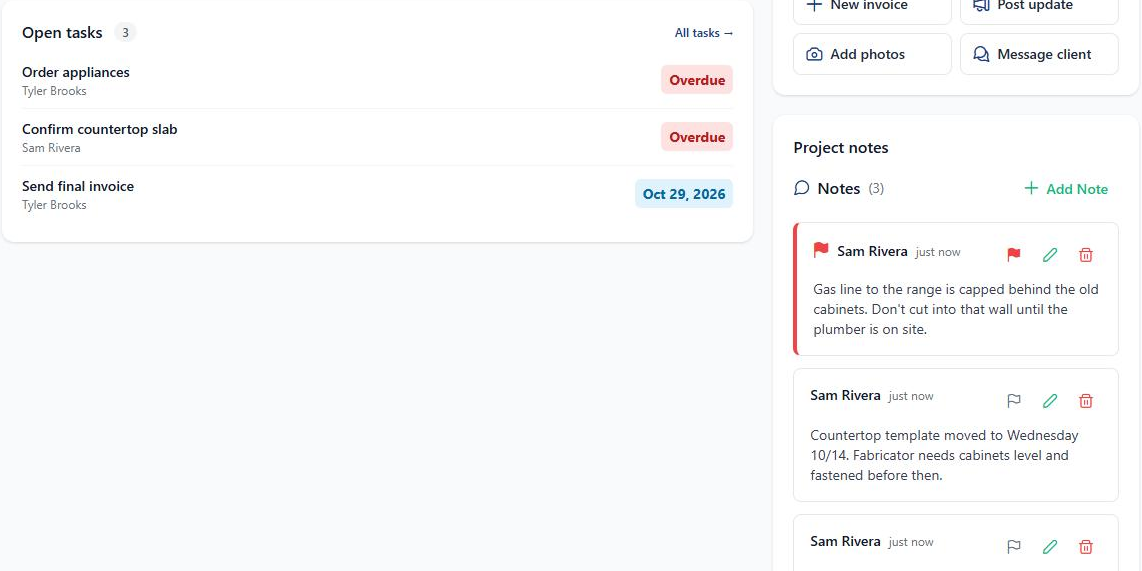
Give each task a due date and assign it to someone on your team or a sub. The due date shows up on the schedule, and anything late gets an Overdue badge so it can't hide. Doing the same kind of job again? Start it from a task template instead of typing the list from scratch.
- Assign to your crew or a vendor. Team members get a notification when a task is theirs.
- Task templates for the jobs you run over and over, like a bathroom remodel or a reroof.
- Flag the notes that matter. Important notes, like a gate code or a client request, stay at the top.
Move one step. The rest follow.
Every project has a Gantt view on its Schedule tab. Drag a bar to move it, or stretch it to change how long it runs. Link steps in order, so paint can't start until drywall is done. When something slips, the steps after it shift too, and you see exactly what will move before you save.
- Linked steps with a gap. "Start two working days after the inspection" works the way you'd expect.
- Your work week and holidays. Set which days your crew works, and weekends and days off are skipped.
- Every job at once. The company calendar has the same Gantt across all your projects.
Every file for the job, in its place.
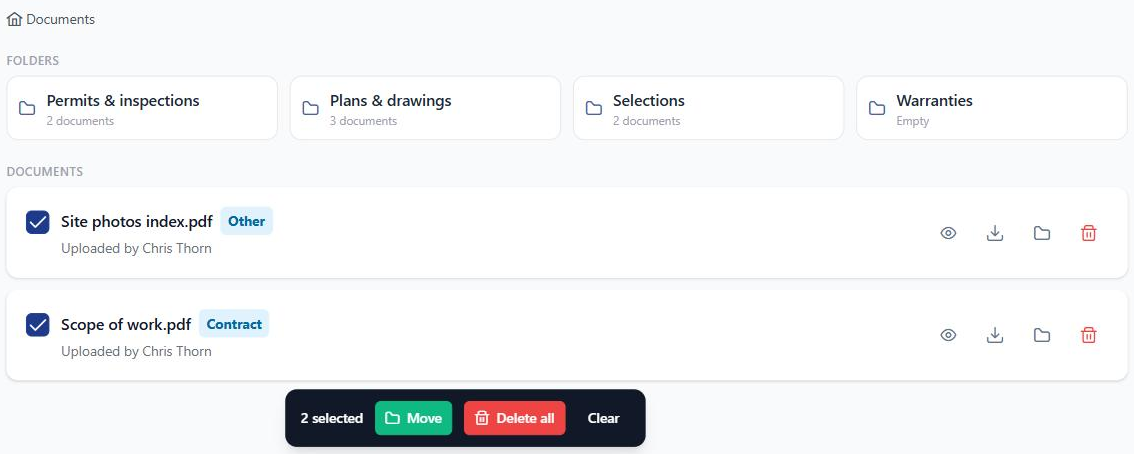
Each project has its own photos and documents. Make folders for permits, plans, selections, or whatever fits the job. Select a few files and move or delete them together, or search to find one fast. Estimates, invoices, and change orders file their own PDFs here, so you never upload those by hand.
- A PDF viewer built for plan sets. Jump straight to a page and pinch to zoom on the details.
- Billing PDFs filed for you as soon as an estimate is linked or an invoice goes out.
- A company Files library for the things every job shares, like your safety sheets and warranty forms.
Know where the money stands, mid-job.
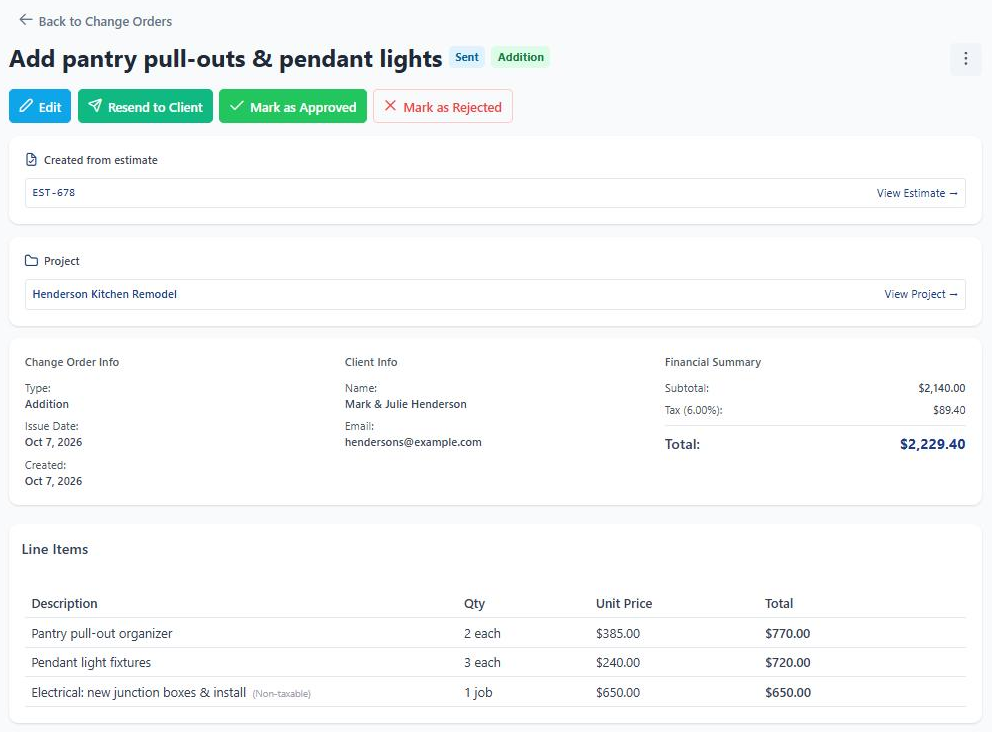
The contract value comes from the approved estimate plus any approved change orders, so it's always current. Log expenses against the job and budget health shows what you planned to spend, what you've spent, and your projected margin. When the client adds something, write a change order from the estimate and send it for approval.
- Paid and outstanding at the top of the project, next to tasks complete.
- Budget vs. actual from the expenses you log on the job.
- Change orders the client approves online, added to the contract value once they do.
Also on every project
The rest of the job, one tap away.
Daily logs
Write down what happened on site each day, with notes and photos.
Team access
Pick who's on each project, so your crew sees the jobs they're working.
Client portal link
Share one link and your client can check progress, documents, and payments. No password needed.
Quick actions
Start an invoice, post an update, add photos, or message the client, right from the project screen.
Coming up
The next few things on the schedule, right on the overview.
Client & contract
The client's contact details and what the contract is built on, linked back to the approved estimate.
"I run a painting crew. Three trucks, eight guys. I didn't think contractor software was for someone like me. BuilderBase is the first tool that didn't make me feel like I needed a manual. My subs even started using it on their phones."
Built for your work
See how BuilderBase fits the way you sell and run jobs.
Run your next project without the whiteboard.
Free 7-day trial. No credit card required. Cancel any time.