Run your day. Dispatch the crew.
See who's where and what's next on one calendar. Put a job on the schedule and your tech gets it on their phone. You get a warning before anyone is booked in two places, and jobs get started, finished and closed out right on site.
Why this matters
The double-booked tech. The missed visit. The "nobody told me." Done.
No more double-booked techs
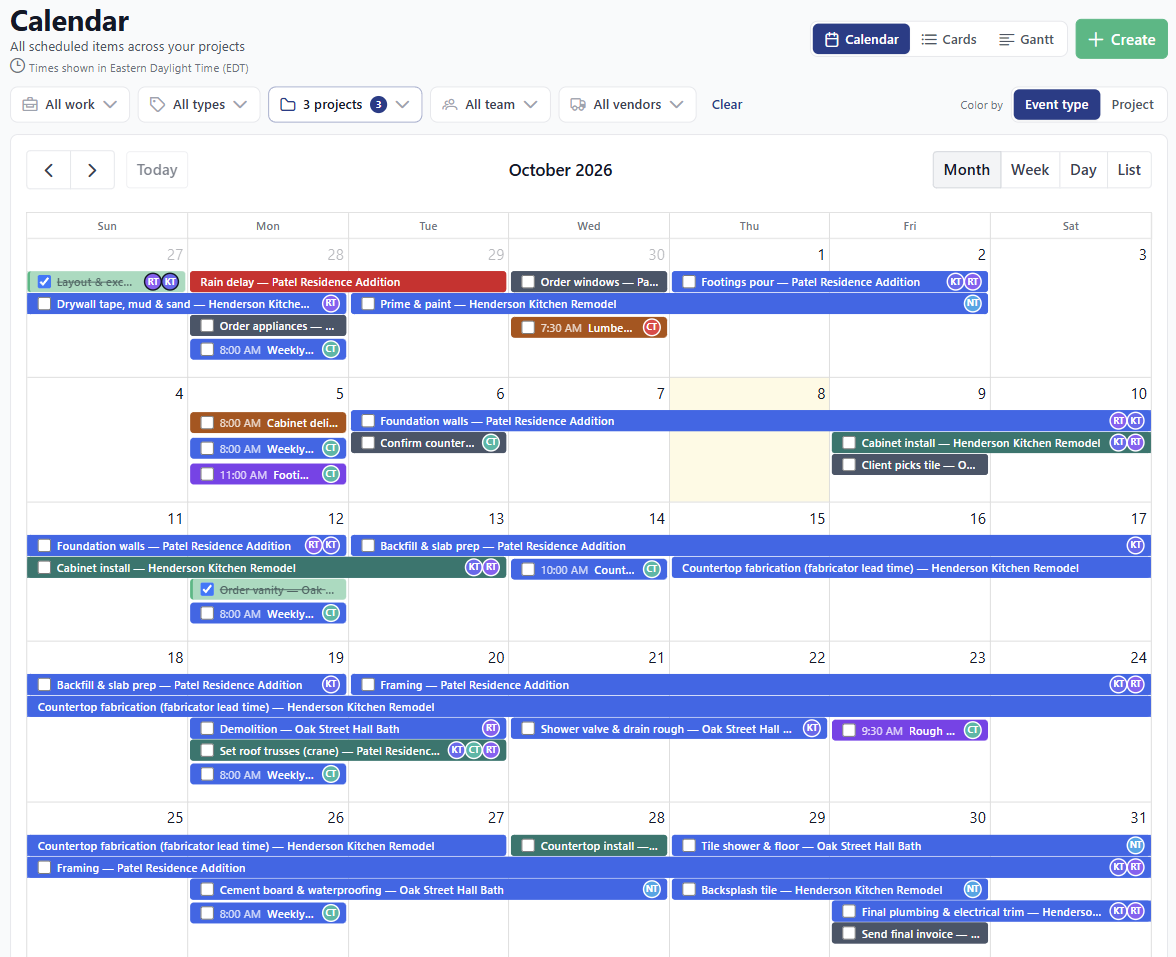
Every job and event lives on one calendar. Try to put someone in two places at once and BuilderBase warns you before it saves.
No more "nobody told me"
Assign a job and your tech gets a push notification on their phone plus an email. Move it or cancel it and they hear about that too.
No more retyping the week
Repeat visits and standing meetings get set up once. They fill the calendar on their own, at the same time every week.
The whole day at a glance.
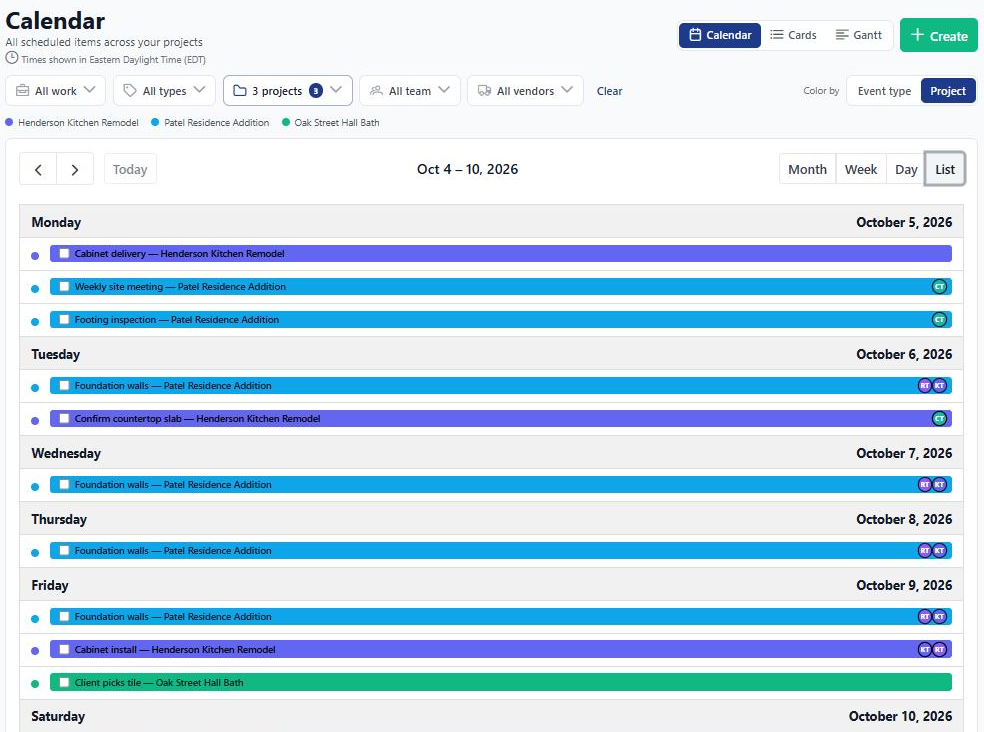
Service calls, estimate visits, multi-day remodels and crew meetings all sit on one color-coded calendar. Switch between month, week, day and list, flip to Cards, or open the Gantt view for longer jobs. Filter down to one tech or one job type when you're dispatching, then zoom back out to the whole company.
- Filter by what matters: jobs or events, event type, project, team member or vendor.
- Color by event type or by project, with a legend so everyone reads it the same way.
- Drag and drop to reschedule. Running late on Tuesday? Slide it to Wednesday.
- Double-booking guard warns you before one person ends up in two places.
Finish it. Get paid.
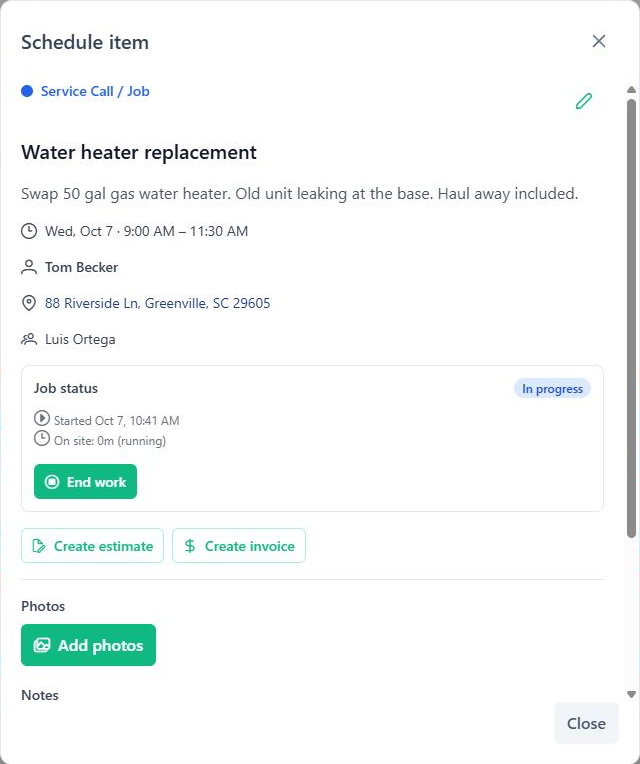
Mark any event type as a billable job and it gets an on-site workflow. Your tech taps Start when they arrive and End when they wrap up, adds notes and photos as they go, then closes the job out. Close-out won't go through until payment is collected or billed, so no job slips through without an invoice.
- Time on site, tracked automatically. Leave for parts and come back, and each stretch is logged.
- Job notes and photos stay attached to the visit, not buried in someone's camera roll.
- Bill straight from the job. Create the invoice from the visit without retyping anything.
Assign it. Their phone buzzes.
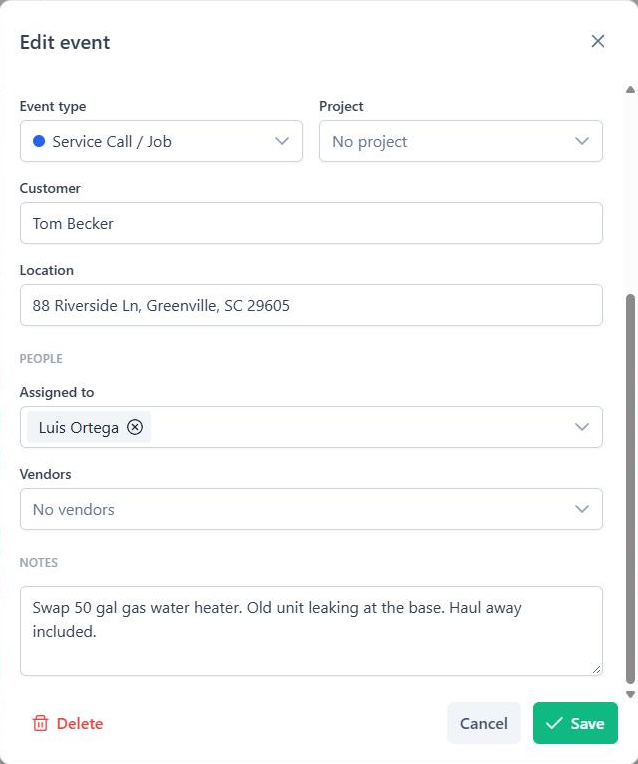
Add one tech or the whole crew to a job. Each person gets a push notification in the BuilderBase app on iPhone or Android, plus an email, when they're assigned and again if the job moves or gets cancelled. Tapping the notification opens that job, address and all, with a one-tap link to Maps.
- Multiple assignees per job, plus vendors and subs you can attach without showing them to the client.
- Too many emails? Turn assignment emails off for the company and your crew still gets the push.
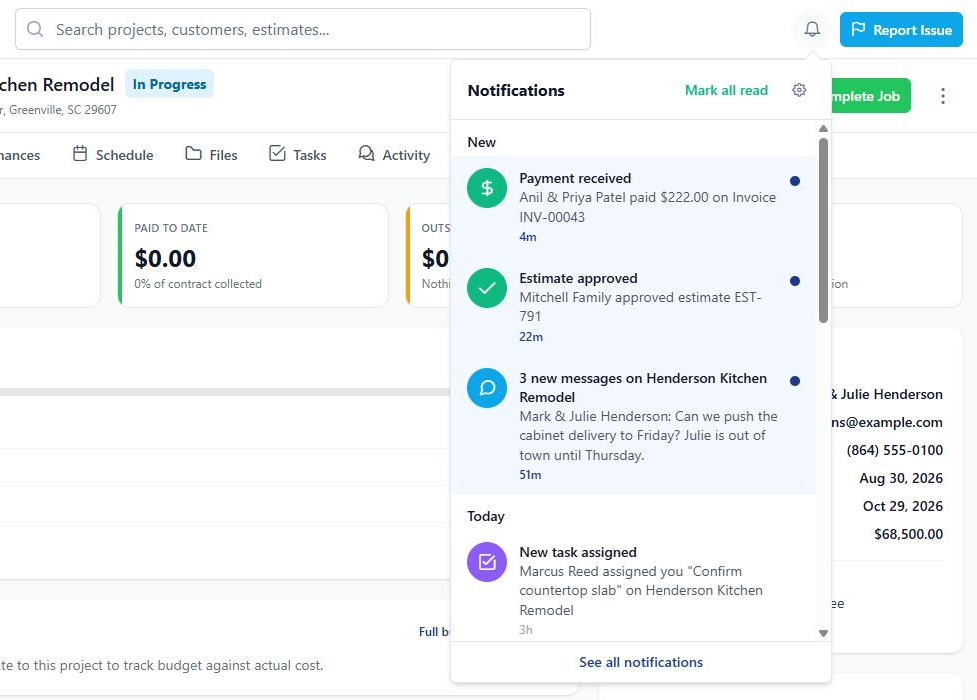
- A notification bell on every screen collects schedule changes alongside payments, approvals and messages.
Set it once. It repeats itself.
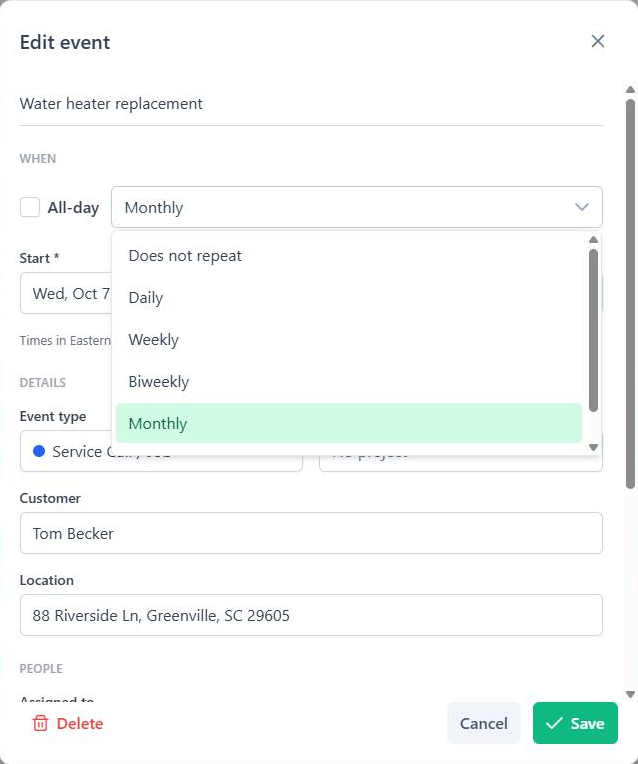
Maintenance visits, monthly service calls, the Monday crew meeting: you shouldn't be rebuilding those by hand. Set the pattern once and the calendar fills itself out for weeks ahead. Change one visit or the whole series, your call.
- Daily, weekly or monthly repeats on the days that work for you.
- Edit one or edit all. Move a single visit without touching the rest of the series.
- Same time after the clocks change. A 7:00 AM visit stays at 7:00 AM through daylight saving.
Multi-day jobs on one timeline.
Remodels and bigger installs don't fit in a day view. The Gantt view lines up every job across the weeks so you can see what overlaps and what's waiting on what. It's on the company calendar and on each project's Schedule tab.
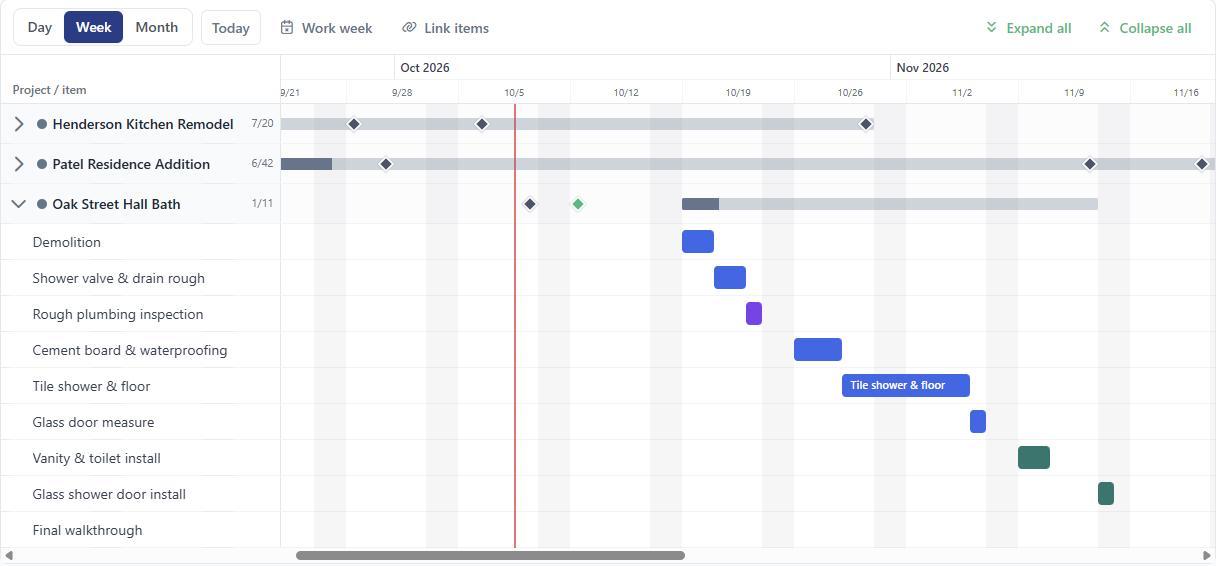
- Drag a bar to move it, or drag its edge to make it longer or shorter. On a phone or tablet, press and hold first.
- Link items in order. Tile starts after the drywall finishes, with a gap in working days if you need one.
- When one slips, the rest follow. You see a preview of every date that will change before anything saves.
- Your work week and holidays built in, so schedules skip the days you're off. Task due dates show up as diamonds.
The small stuff, handled
The right time, the right place, every time.

Google Calendar sync
Connect your Google Calendar and its events come into BuilderBase, checked for changes every 5 minutes. Edit an imported event here and BuilderBase keeps track of your change.
Your time zone, everywhere
Set your company time zone once. Reminders, notifications and emails show times in your zone, and every schedule screen labels which zone it's showing.
Addresses that just work
Start typing an address and pick it from the suggestions. On the job, your tech taps it to open directions in Maps.
Clients see only what you share.
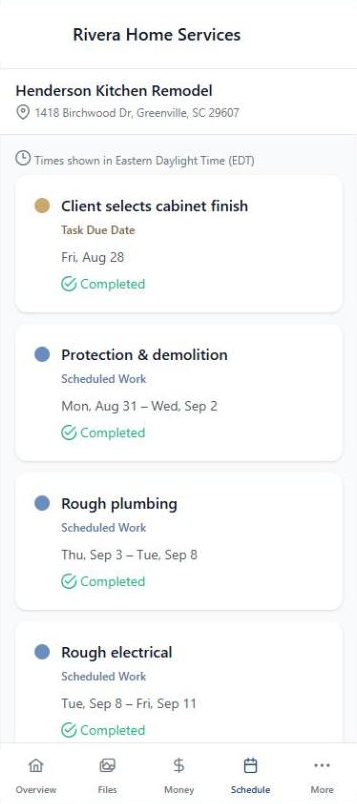
Flip one switch to put a visit on the client's portal. Show them the install day and the final walkthrough. Keep the crew meeting and your sub scheduling internal. Clients know when you're coming without calling to ask.
- Per-event visibility toggle. You decide what's client-facing and what stays internal.
- Visit reminders. Turn on client reminders and clients get an email 24 hours before you show up.
- On the passwordless portal right alongside photos, estimates and messages.
"Monday morning the whole crew already knows where they're going. I haven't sent a 'where are you today' text in months."
Built for your work
See how BuilderBase fits the way you sell and run jobs.
Get the whole crew on the same calendar.
Free 7-day trial. No credit card required. Cancel any time.