Week of August 7, 2026
A rebuilt project screen, a company-wide file library with real folders, sharper calendar filtering, and a pile of fixes to downloads and photo uploads on phones.
Two big ones this week: the project screen has been rebuilt from the ground up, and Files gives company documents a home of their own. The rest of the week went to filtering, and to making downloads and uploads behave on phones.
A rebuilt project screen
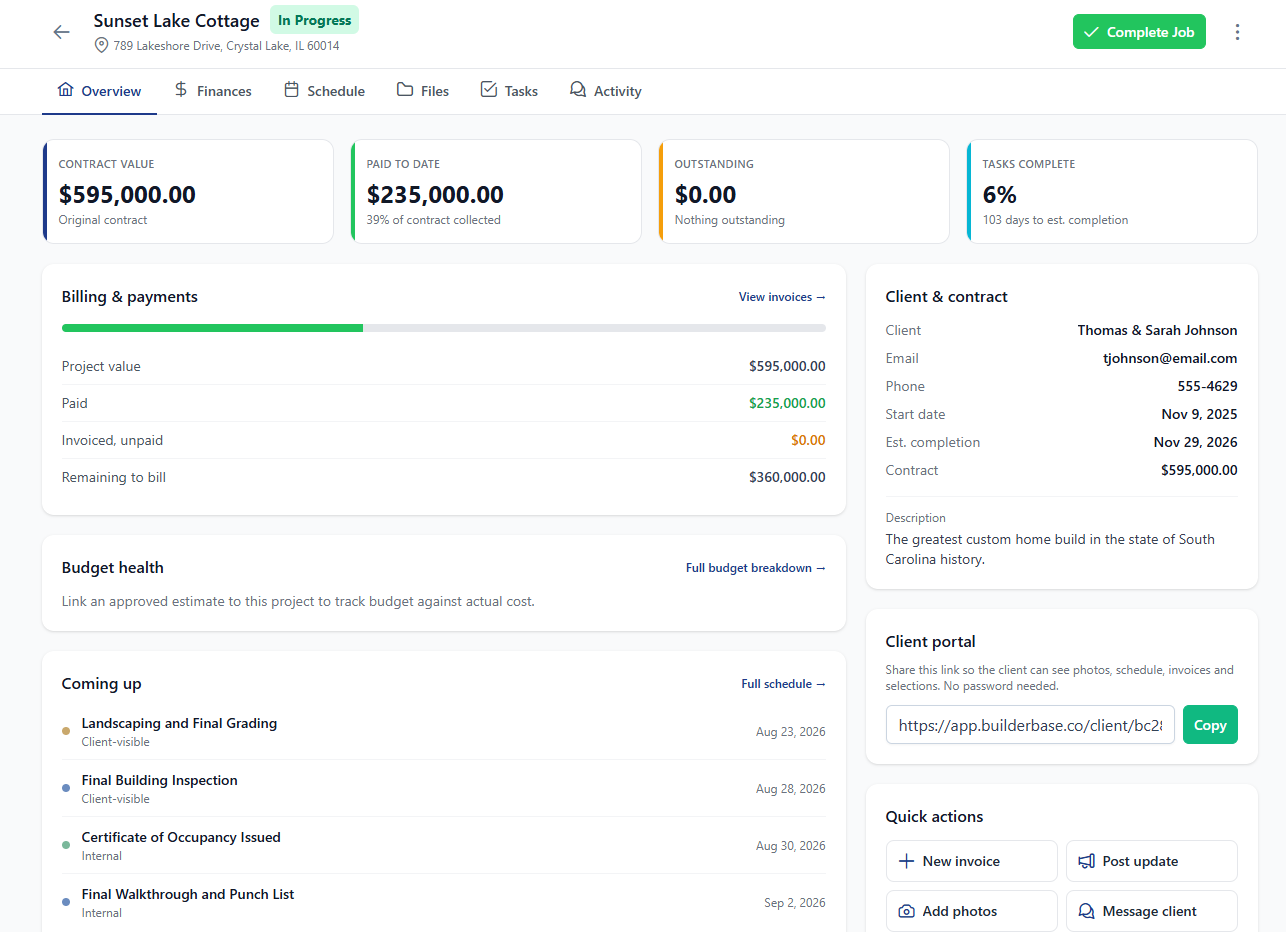
The project detail page was the oldest screen in the app and it showed. It has been rebuilt around a compact header, wrapping tabs, and an Overview tab that acts as a dashboard for the job.
- A compact header that keeps the important numbers in view as you scroll
- Tabs that wrap instead of overflowing on smaller screens
- A dedicated bottom bar on mobile, so the controls you need are under your thumb
- An Overview tab that summarises the job instead of dropping you into a list
Files: one home for company documents
Until now every photo and document in BuilderBase hung off a project. Files is a standalone library for everything else: certificates, templates, licences, the photos you have not filed yet.
- Folders you create and nest however you like
- Bulk upload, then select many files at once to move or delete them
- Search by name across the whole library
- View images and PDFs in the app instead of downloading them first
- Built for your team only. Nothing in Files can reach a client portal
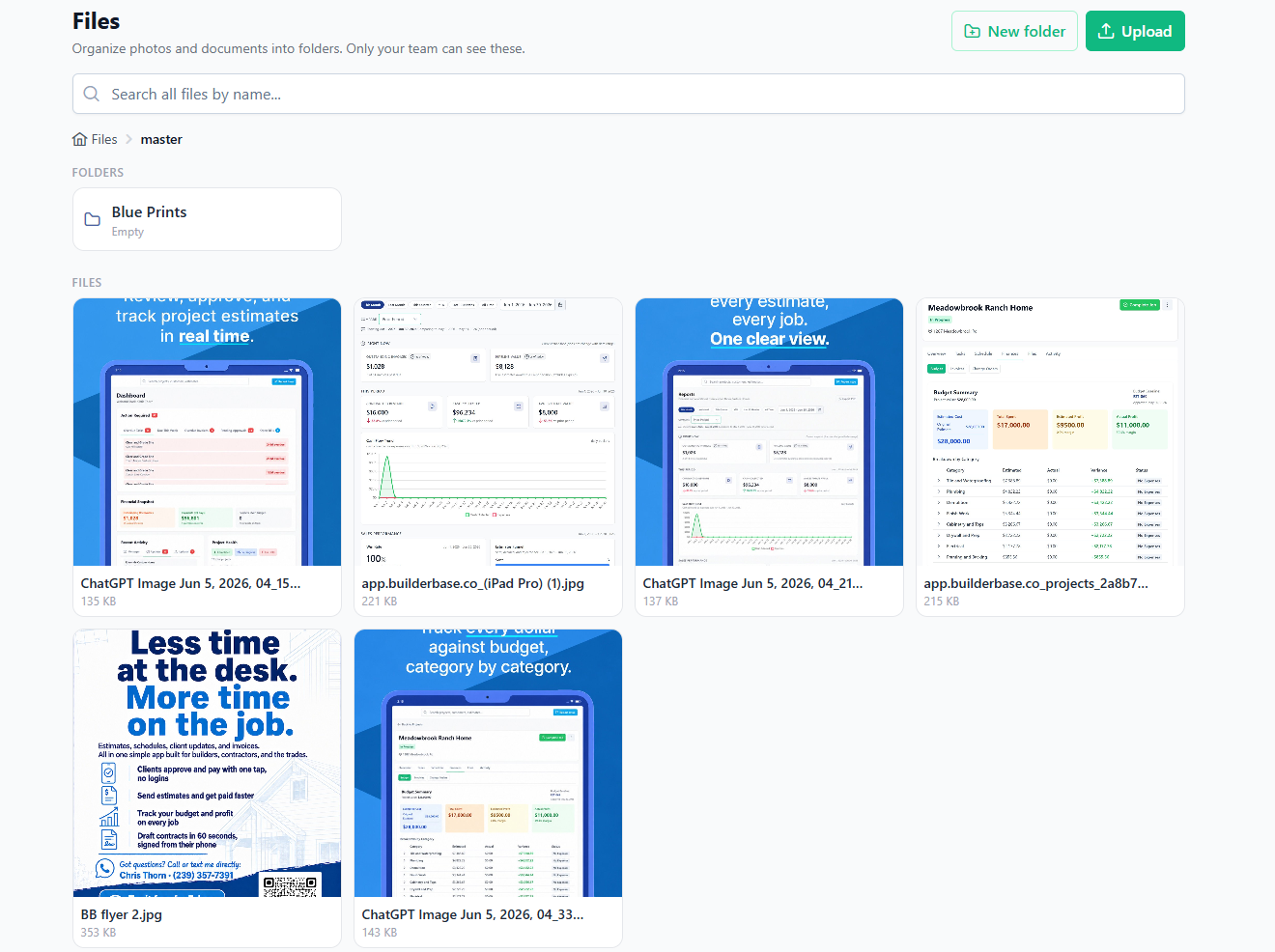
Files is on the Pro plan, and is available to Admins and team members.
Sharper calendar filtering
The calendar picked up better filtering, so you can narrow a busy month down to the work, the type or the people you actually care about.
Downloads and uploads that work on a phone
A run of fixes aimed squarely at mobile.
- Estimates, invoices and documents now save properly from iOS Safari instead of being previewed
- Downloads work correctly in the native app
- HEIC photos from an iPhone now upload from an Android browser without failing
Also shipped this week
- Invoice numbers can contain letters, so your existing numbering scheme carries over
- Email is optional when you quick-add a customer, matching the full customer form
- Lead source accepts free text when you pick “Other”, so you can record where a lead really came from
Want these updates in your projects?
Start a free trial and put the latest BuilderBase features to work today.