September 2026 Roundup
A Gantt chart for your schedule with dependencies and a work week, folders for project photos and documents, a faster PDF viewer built for plan sets, company time zones, and a payment date on Mark as Paid.
A few weeks’ worth of updates in one place. The headline is a Gantt chart for your schedule, but there is a lot more underneath it.
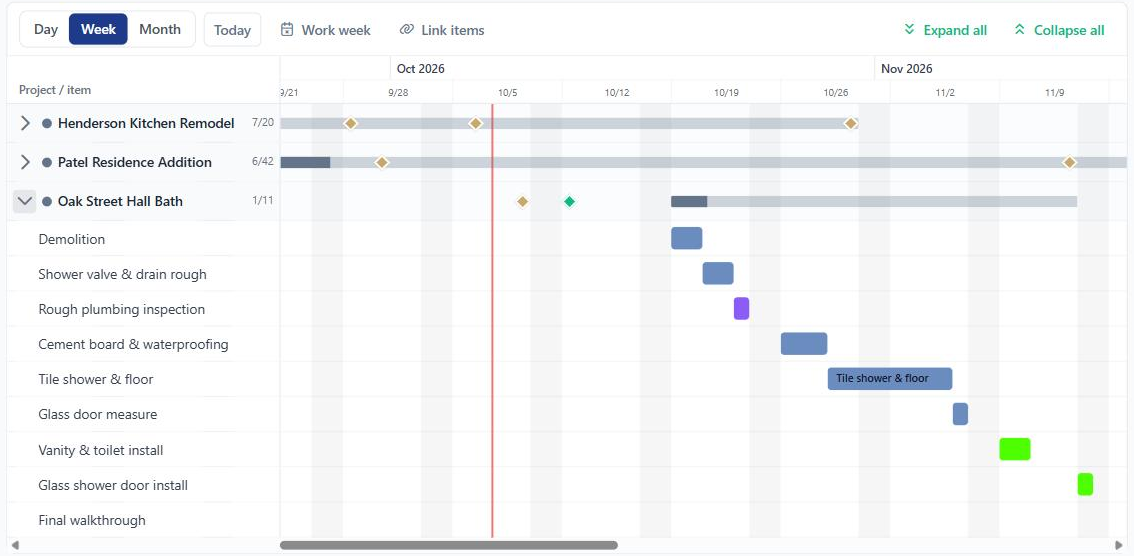
Gantt chart, with dependencies
The calendar now has a third view next to Calendar and Cards. Switch to Gantt on the company calendar to see every job on one timeline, or on a project’s Schedule tab to see just that job.
- Each project is a row with a progress bar. Expand it to see every scheduled item, with task due dates shown as diamonds
- Drag a bar to move it, or drag an edge to change its length. On a phone or tablet, press and hold to pick it up
- Link items so one starts after another. Use “Starts after” when editing an item, the Link items button on the toolbar, or drag between bars. Add a lag in working days if you need a gap
- Move one item and everything after it follows. You see a preview of what will shift before anything saves. Finish something early and BuilderBase offers to pull the next items in, without forcing it
- Set your work week and holidays from the Gantt toolbar, so schedules skip weekends and days off
- Anyone whose items moved gets one summary, not an email per item
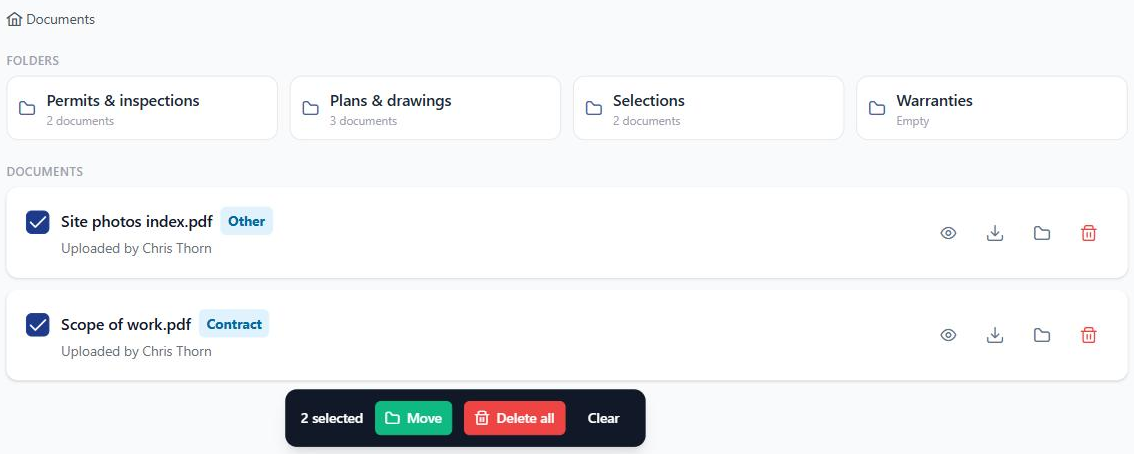
Folders for project photos and documents
A big job collects hundreds of photos and a stack of documents. Both tabs on a project now support folders.
- Create folders, and folders inside folders
- Select several files at once to move or delete them together
- Search and the document category filter now look across everything on the project, not just what has loaded on screen
- Your client portal is unchanged. Clients still see one simple list, and folder names stay internal
A PDF viewer built for plan sets
Paging through a 30-sheet house plan on an iPad used to be slow, and large sets could make the app reload. The viewer has been rebuilt for exactly that.
- Jump straight to a page, or to the first and last sheet
- Swipe between pages, or use the arrow keys on a computer
- Pinch to zoom on phones and tablets
- Far lower memory use, so big plan sets stay open
- If the app does reload, it reopens the same document on the same page
Your company’s time zone
Set your company’s time zone in Settings, General (new companies pick it during setup). Appointment reminders, schedule notifications and emails now show times in your local zone instead of UTC, and every schedule screen labels which time zone it is showing.
Also shipped
- Start an estimate or invoice from a customer’s page. The new button on the customer header fills in the customer for you, and you can change their pipeline stage right there too
- Mark as Paid asks for the payment date. Record a check you deposited last Tuesday and the client’s receipt and your reports both use that date
- New “Scheduled” project status for jobs that are booked but not started. They count as active on your dashboard
- Estimate chat stays open after approval, since clients keep asking questions after they sign. The reply box also always shows now
- A delayed email is no longer marked as failed. Delays usually still deliver, and once a client opens the link the warning clears on its own
- Large uploads between about 29 MB and 50 MB no longer fail
- The calendar’s event type filter only offers types that match your Jobs or Events choice, so a stale selection cannot empty the calendar
Want these updates in your projects?
Start a free trial and put the latest BuilderBase features to work today.