Week of October 9, 2026
A notification bell on every screen, so the right people hear about payments, approvals, signatures and assignments the moment they happen, with push to your phone and a per-person switch for email.
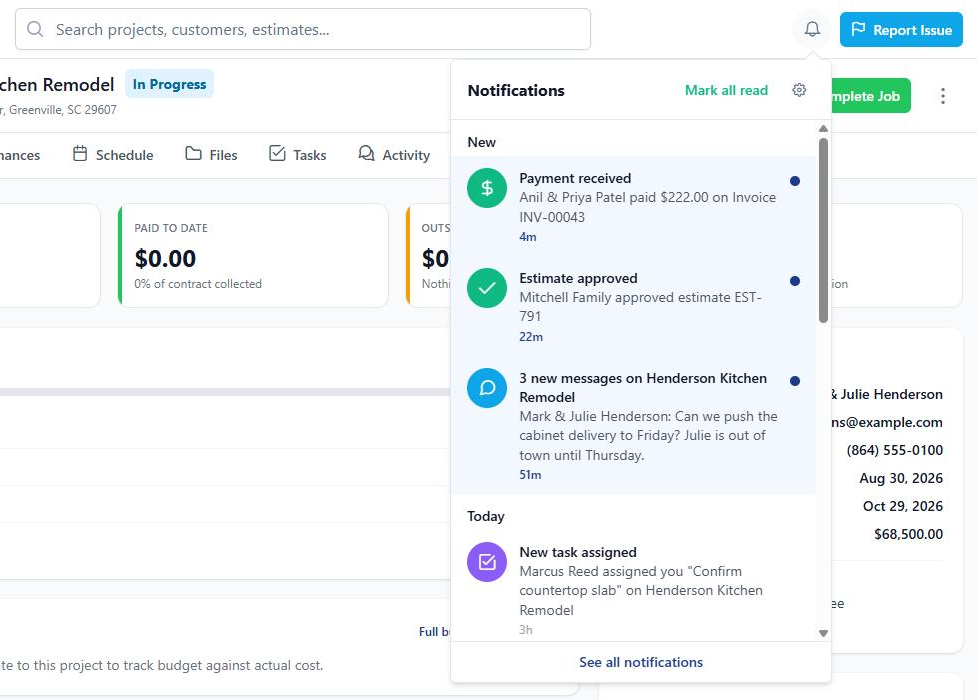
BuilderBase now has a notification feed. A bell with an unread count sits on every screen, and everything that needs your attention lands there: a client approved an estimate, a payment came in, a contract got signed, a task was assigned to you.
One place to catch up
- On a computer, the bell sits in the top bar. Click it for your latest notifications, or open the full list
- On your phone, there is a new Notifications tab in the bottom bar with a red badge, and the bell is in the project header too
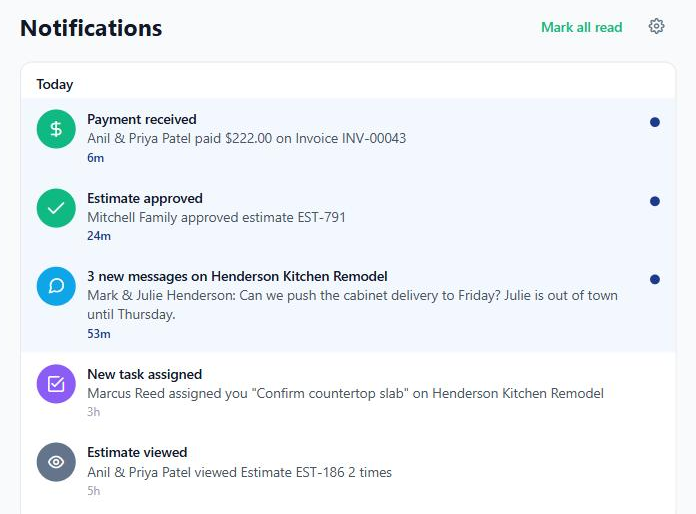
- The full Notifications page groups everything into New, Today and Earlier. Tap a row and it opens the estimate, invoice, task or project it is about
- Mark all read clears the slate in one tap
Repeat events collapse into one row instead of piling up. If a client opens the same estimate three times, you see “viewed Estimate #1042, 3 times”, not three separate rows.
The right people, not everyone
Before this, some alerts went to every phone in the company and others went to one person at random. Now there is one simple rule:
- Admins hear about everything that matters to the business: payments, approvals, signatures, bids, failed emails and new team members
- Everyone else hears about what they created, what is assigned to them, and the projects they are on
- You never get notified about your own action. Mark an invoice paid and the other admins hear about it, you do not
- Money stays private. If someone’s role cannot see pricing, payment notifications do not reach them. Workers no longer get payment amounts on their phones
New things you will hear about
Plenty of moments used to happen silently. Now they show up in the bell:
- A task is assigned to you, is due tomorrow, or is overdue
- An invoice goes past its due date without being paid
- A client’s payment fails, card or bank transfer
- A client opens your estimate, invoice, contract or change order for the first time (bell only, no push, so your phone stays quiet)
- A teammate posts a message on a project you are on
- You are added to a project
- A vendor’s insurance or compliance document is about to expire
You decide about email and push
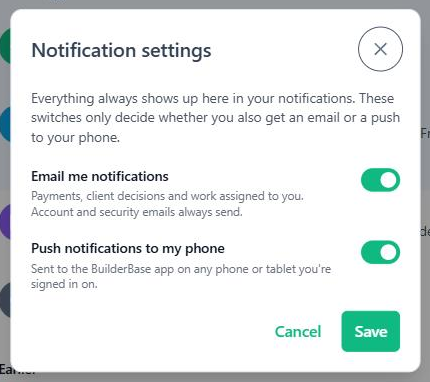
Each person now has their own switches. Tap the gear icon on the bell or the Notifications page to open Notification settings:
- Email me notifications: on or off
- Push notifications to my phone: on or off
The bell always keeps the full record, so turning email off never means missing something. Account emails like password resets and billing still arrive either way.
Notifications are on every plan and for every role, with nothing to set up. There is a short guided tour in the setup checklist if you want to see where everything lives.
Also since our last update
We have been quiet on this page for a few weeks, but not idle. The September roundup covers a Gantt chart for your schedule with dependencies and a work week, folders for project photos and documents, a much better PDF viewer for plan sets, and company time zones.
Want these updates in your projects?
Start a free trial and put the latest BuilderBase features to work today.